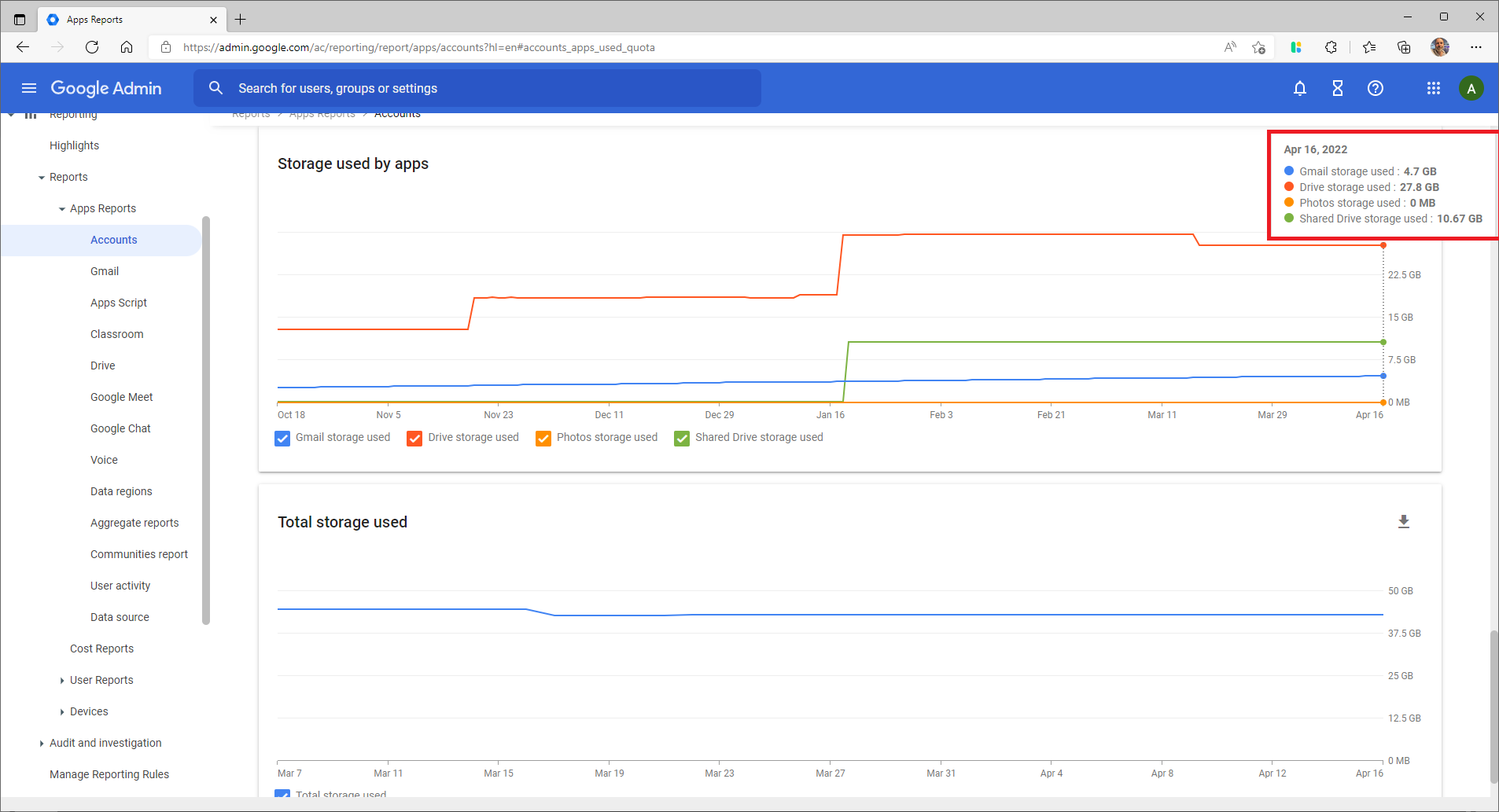
If you need to view the amount of storage being used by your Google Workspace accounts, as well as which services are using the most storage, follow the steps below:
1. Log into the Google Admin Console.
2. In the sidebar, click on Reporting and then Highlights.
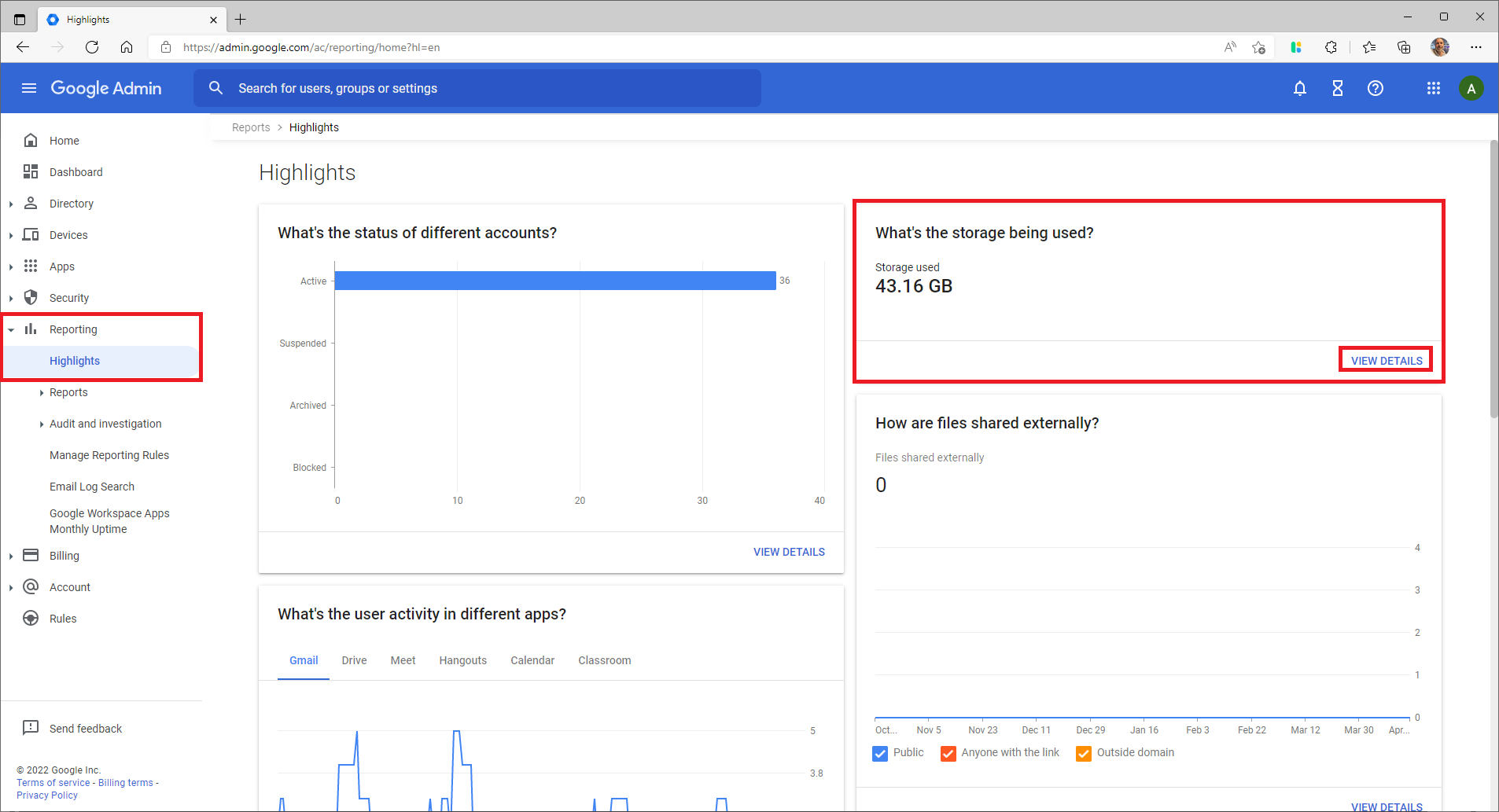
3, On the dashboard you will see a card titled What's the storage being used?. Click View details to expand this card.
4, You will be taken to a graph showing the storage used by the respective services, as well as the total storage used.