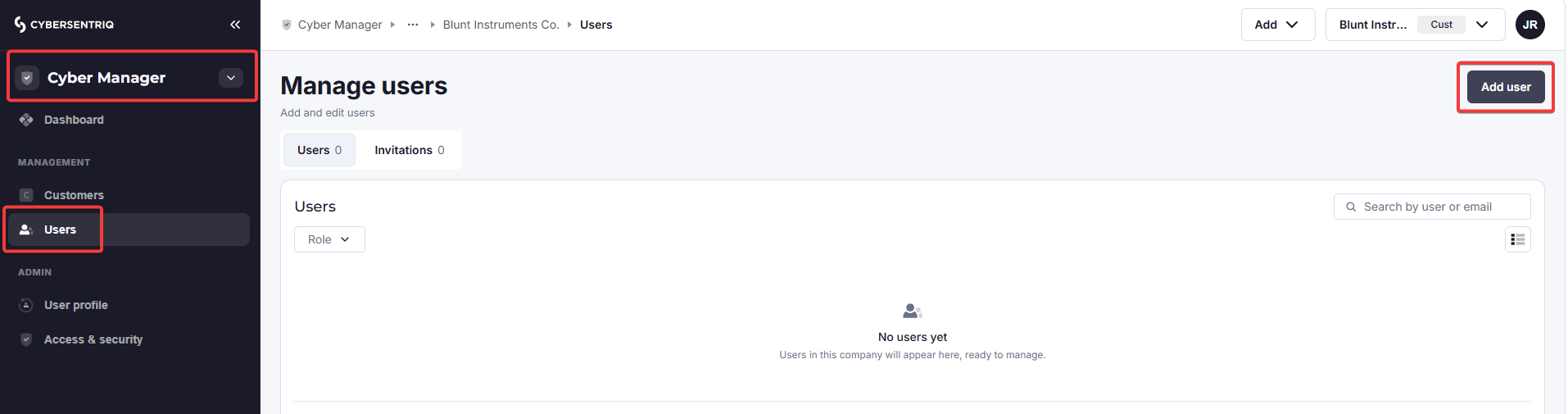
Firstly, ensure you are in the Cyber Manager workspace for the partner/customer you want to add a user to.
Go to Users in the side navigation, then click on Add user at the top right.
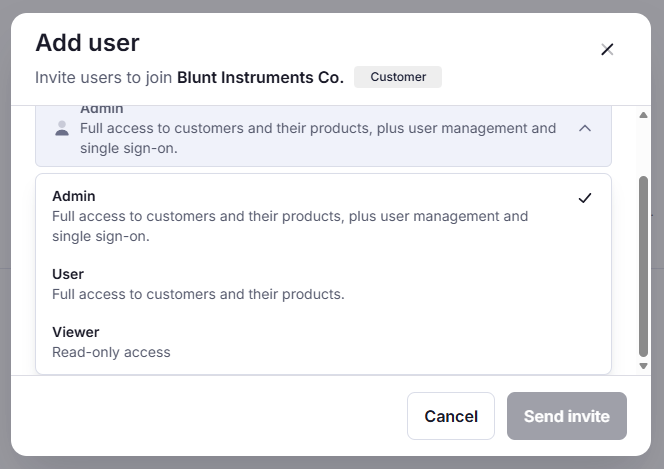
Select the applicable role for this user. There are three user roles available. Only Admins can manage other users.
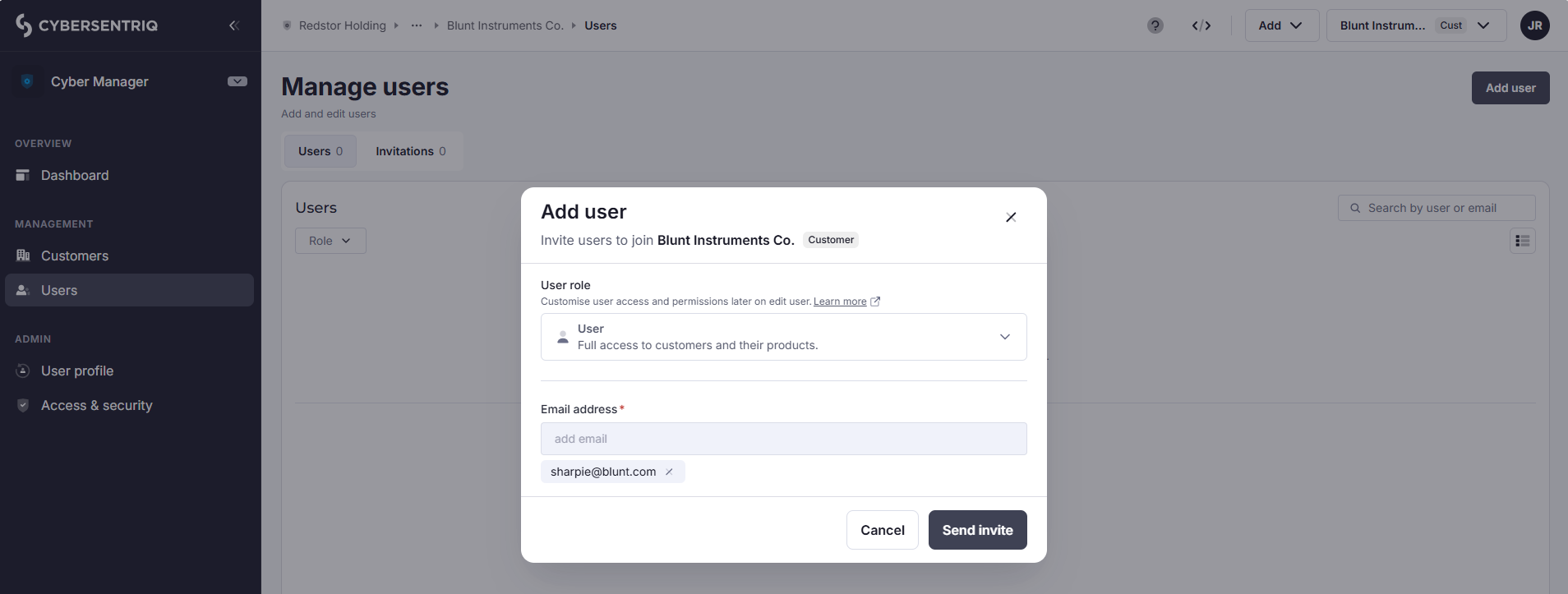
Enter the user’s email address and click Send invite.
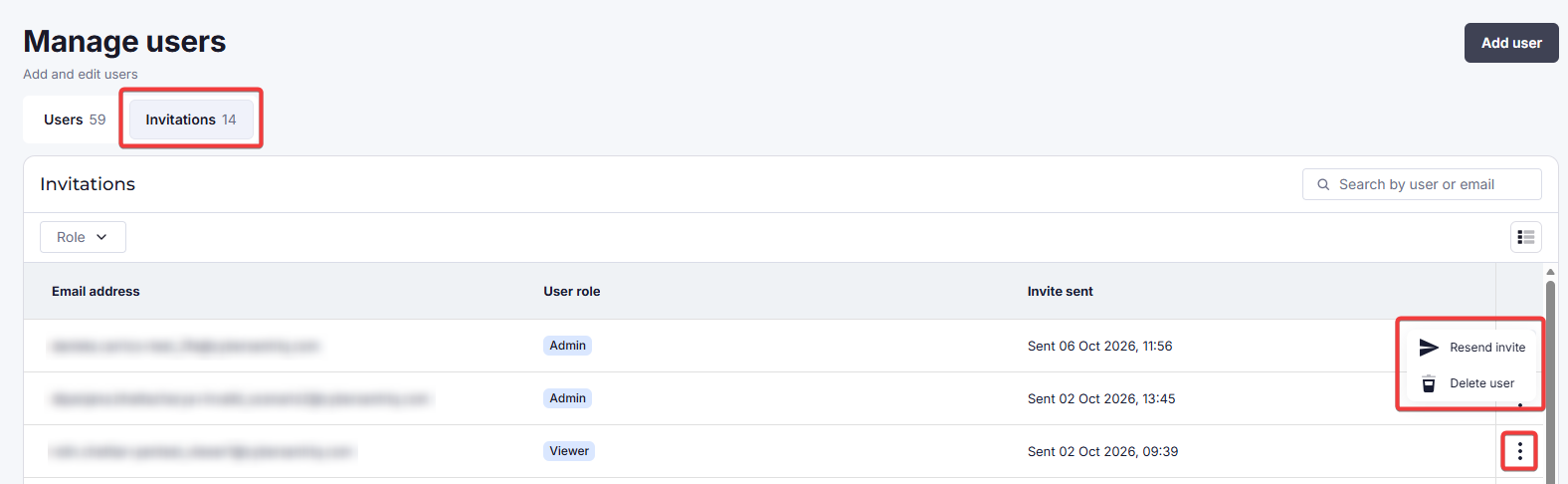
Invited users will appear under Invitations. You can resend a user’s invite from the menu for their table entry.
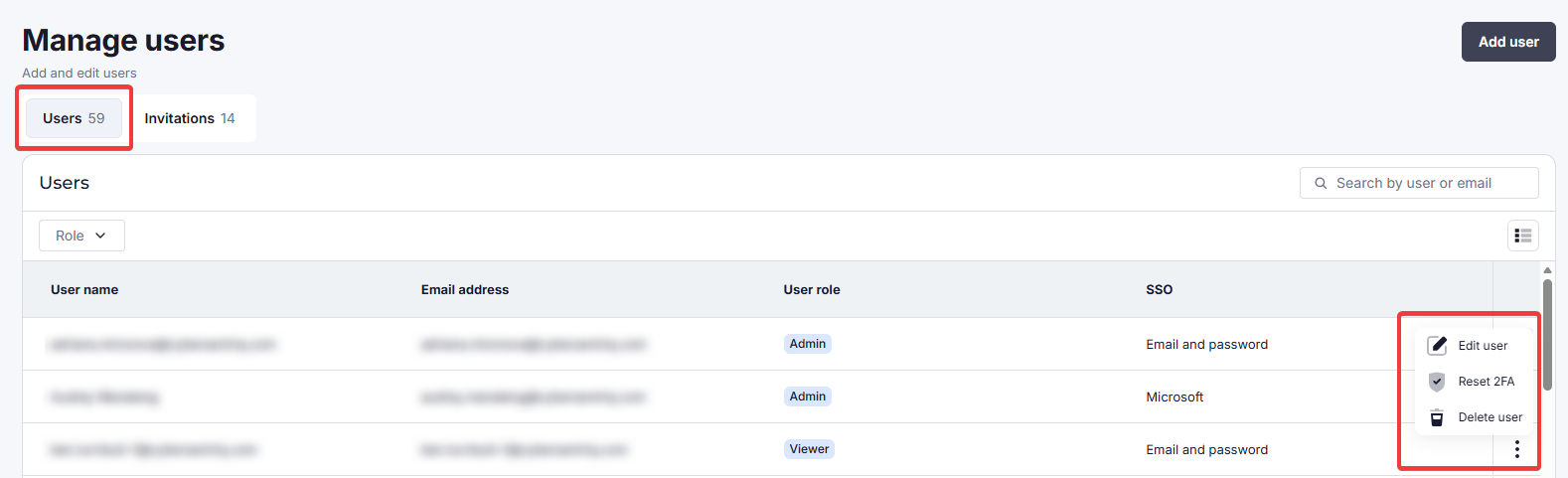
From the Users tab, an existing user can be edited, deleted, or you can reset their 2FA.